
** 所有商品圖片及影片只供參考,實際貨品可能略有不同。**
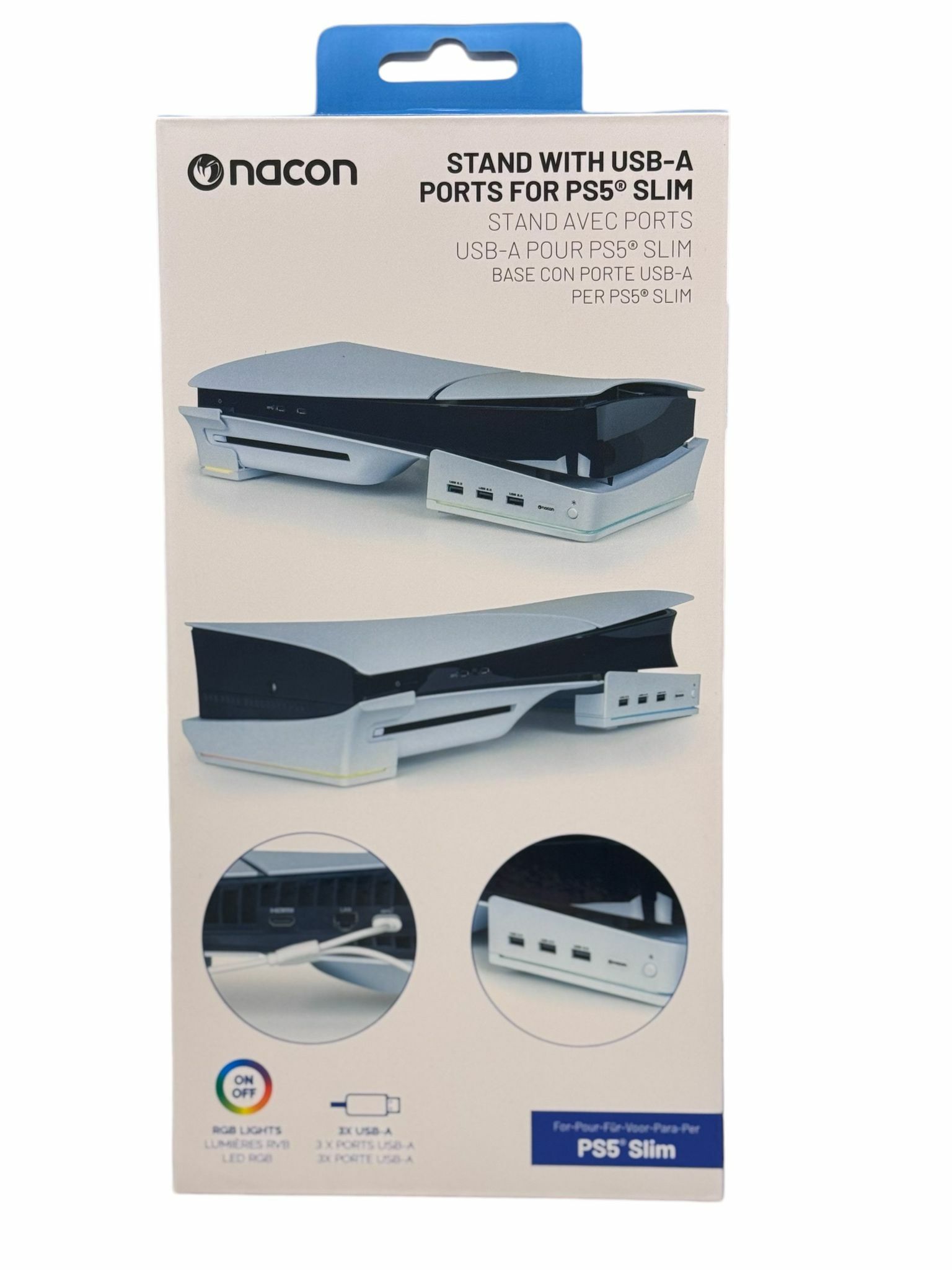
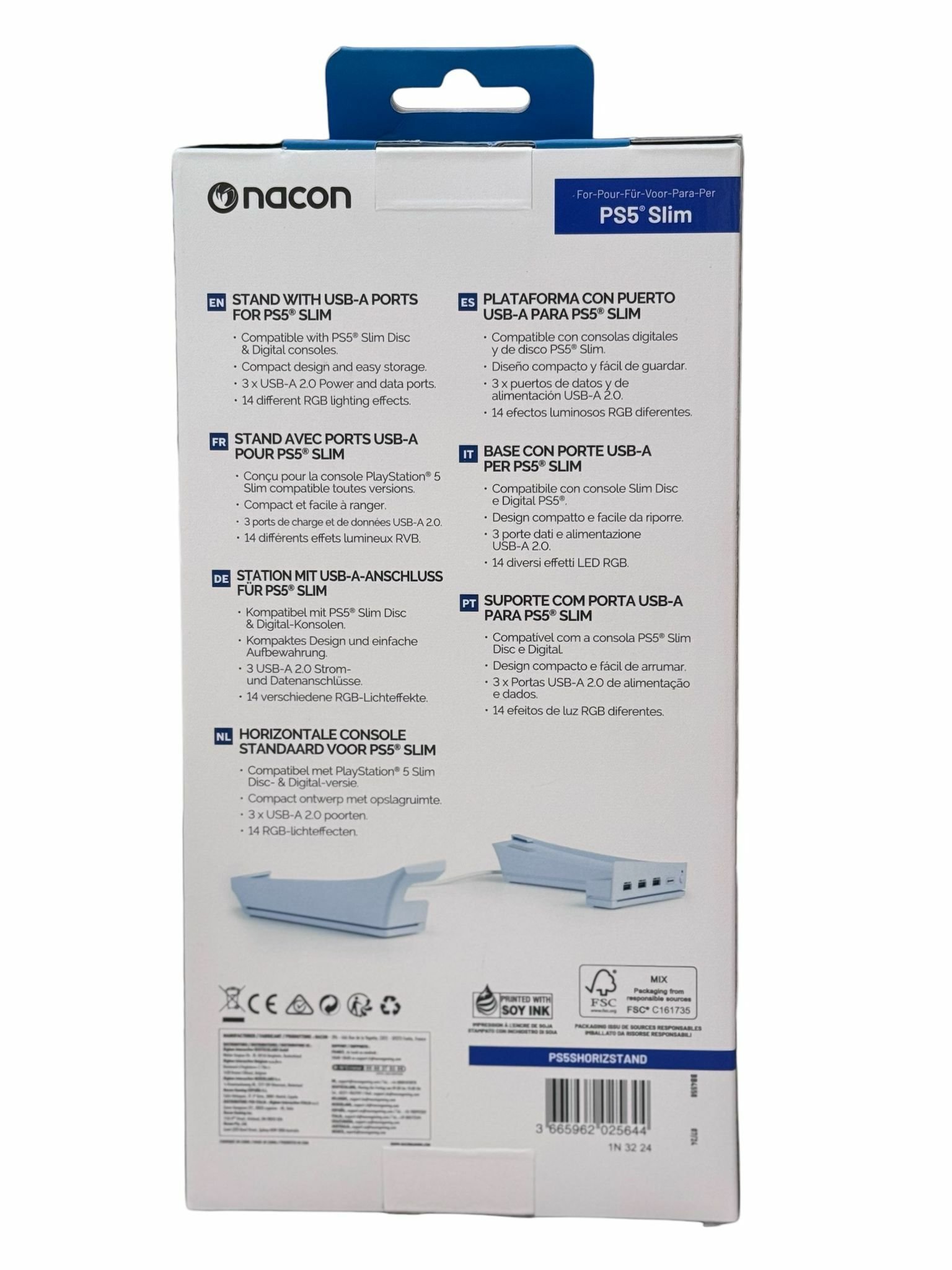
【香港行貨】Nacon 水平支架帶 USB 集線器 Horizontal stand with USB Hubs PS5® Slim 主機用
呢個水平支架帶 USB 集線器,專為 PS5 Slim 主機設計嘅。點解要用呢個支架呢?其實唔單止係為咗擺得靚啲咁簡單!首先,佢幫你節省曬位置,令你嘅PS5 Slim主機可以穩穩陣陣咁擺喺任何地方,仲唔怕跌落地!
最強係咩?當然係佢附加嘅 USB 集線器啦!有咁多個 USB 插口,唔好再煩住插頭夠唔夠用,插齊你嘅手掣、耳機、硬碟等等,仲有位畀你插風扇呀!話明玩 PS5 梗係要爽玩到底,唔好畀啲小問題煩住你啦!
咁你買呢個支架,不單止令你主機睇落專業又整齊,仲可以話係享受埋多用途設備嘅便利,真係一舉兩得!唔好再等啦,快啲裝備你嘅 PS5 Slim,俾佢一個更優雅嘅家啦!

【簡介】
好嘢~今次呢件唔係遊戲,而係 專為 PS5 Slim 嘅神級配件:
🎮 【香港行貨】Nacon 水平支架帶 USB 集線器 Horizontal Stand with USB Hubs(PS5® Slim 專用)!
雖然唔係 Game,但都可以玩出態度 🤟
📍產品名稱:【香港行貨】Nacon 水平支架帶 USB 集線器 Horizontal Stand with USB Hubs
🧩適用機種: PS5 Slim(光碟版 & 數位版都啱用)
⚡️**【主機唔止要強,仲要有型!】**
你部 PS5 Slim 買咗咁耐,仲打橫放喺啲雜誌上面?
唔好啦~你條「神機」值得一個正式嘅地台!🔥
Nacon 水平支架帶 USB Hub 勁過一般底座:
✅ 穩陣放機唔驚跣落地
✅ 內置 USB 集線器,一插多用
✅ 自帶 RGB 燈光,14 款照明模式 💡
✅ 充手掣/插耳機/接硬碟 全部搞掂
✅ 慳位設計 + Plug and Play,一裝即用
💬 「唔止美觀,仲順手到癲㗎!」
好多玩家話:
🗯️ 「PS5 Slim 個身咁滑,一放斜有啲驚,但有咗呢個支架完全穩陣晒!」
🗯️ 「 RGB 燈效夜晚打機勁有氣氛,連貓都睇到入迷!」
🗯️ 「 USB Hub 幫我一次過接晒手掣、SSD 同 耳機!」
網上論壇都熱爆討論:「PS5 Slim 係好靚,但一加 Nacon 底座就變實用戰艦級!」
真係美觀+功能雙贏 👌
⚙️ 設計亮點:
4 個 USB 插口(支援數據傳輸/快充)
簡易安裝步驟,光碟版/數位版都啱
側邊光導條 + RGB 控制鍵,可切換 14 款模式
穩固 EVA 海綿承托,不刮花機身
輕鬆儲線、唔亂唔煩、主機再冇「拗腰」問題
🏠 講真一句:
部 PS5 Slim 好似你屋企 Lamborghini,
冇個型格Parking 都唔似樣啦!
#PS5Slim #Nacon支架 #水平底座 #USB集線器 #RGB燈效 #PS5配件 #香港行貨 #電玩直銷網 #主機收納 #打機Setup #型格裝置 #PS5玩家推薦 #打機氣氛神器 #香港玩家推薦 #香港打機必備
為 PS5® Slim 主機設計的創新水平支架。配備內置 USB 端口和 RGB LED,提供動態背光效果
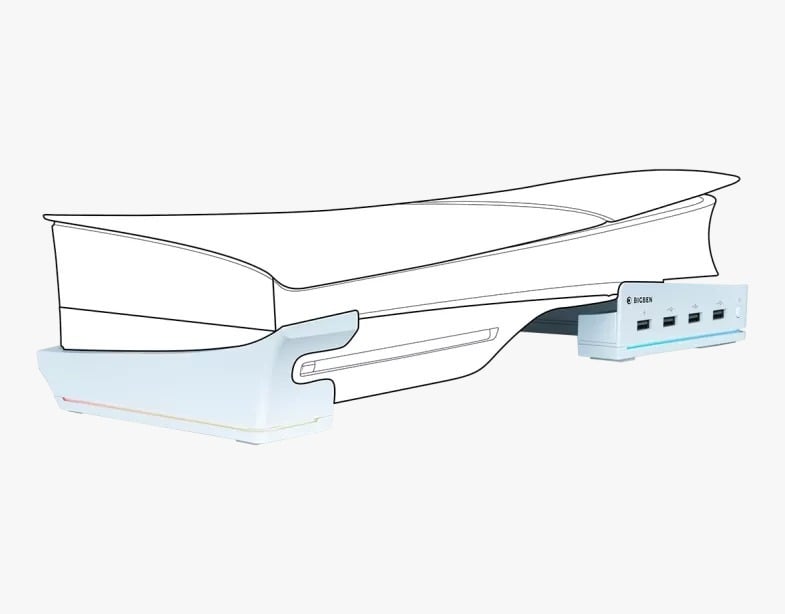
RGB 發光條,具有 14 種照明效果 基本適配器,節省空間,便於存放 4 個 USB 端口,用於充電和數據傳輸,包括一個帶有“充電”標誌的 USB 端口,用於快速控制器充電 水平底座 PS5® Slim 主機適配器
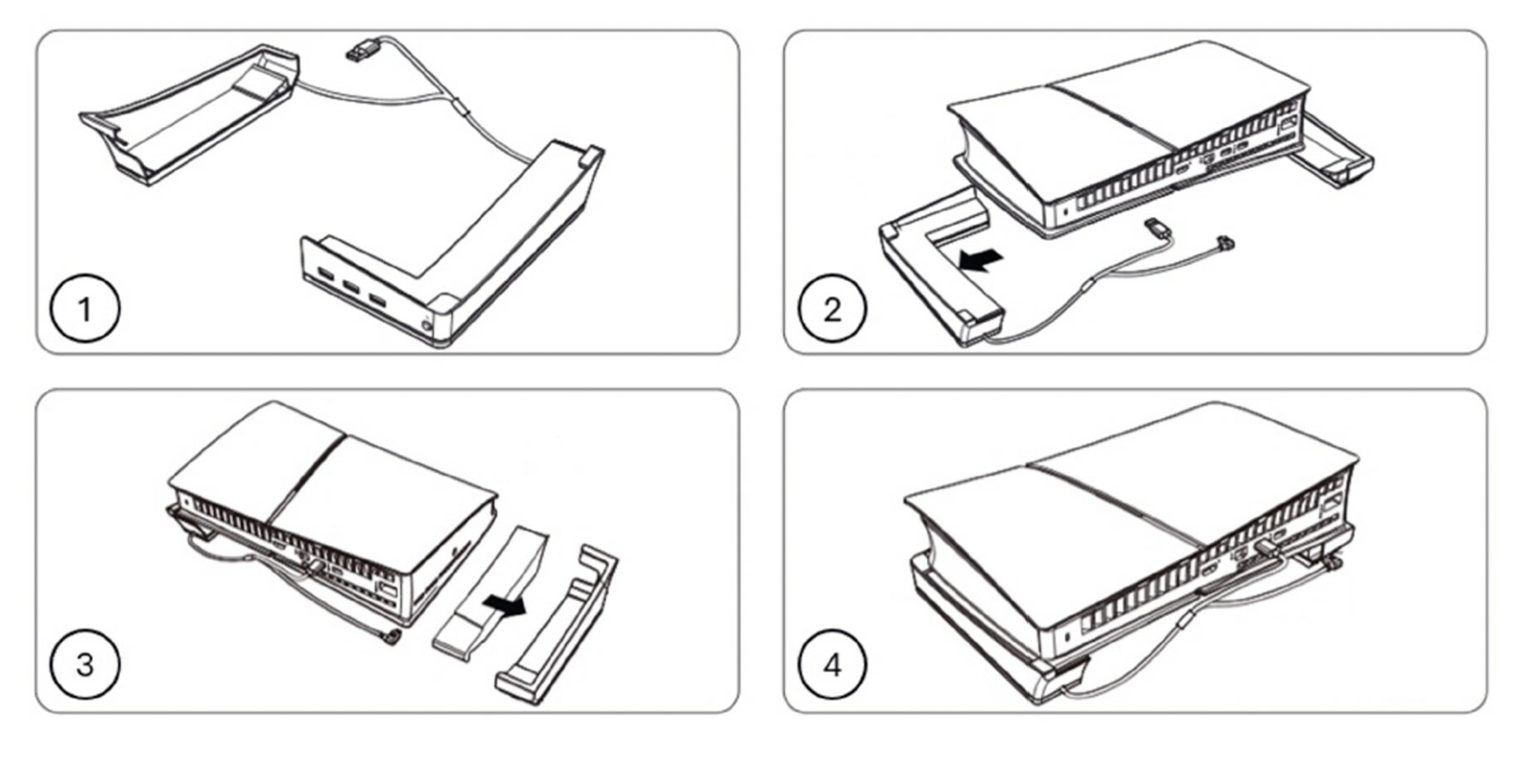
PACKAGE CONTENTS 1 x Horizontal base, 1 x IB, 1 x Warranty sheet, 1 x Safety general electronics, 1 x Regulatory compliance information REQUIREMENTS PS5® Slim console digital version / disc version PRODUCT DIAGRAM A: Left base - B: USB expansion ports - C: USB power cord - D: Right base - E: RGB lighting mode switch - F: Light guide strip INSTALLATION METHOD (PS5® SLIM DIGITAL VERSION) 1. Place the base Left/Right on a flat and stable surface. 2. Place your PS5® horizontally in the center of the two bases. Then place the PS5® into the right base. 3. Fit the EVA/Sponge part into the left base and then place your PS5 into the left base. 4. Connect the USB cable into the rear USB port of your PS5® and connect the Type-C cable into the left base. INSTALLATION METHOD (PS5® SLIM DISC VERSION) 1. Place the base Left/Right on a flat and stable surface. 2. Place your PS5® horizontally in the center of the two bases. Then place your PS5® into the right base. 3. Place your PS5® into the left base. 4. Connect the USB cable into the rear USB port of your PS5® and connect the Type-C cable into the left base. USER INFORMATION • The 3 USB expansion ports, at the front end of the right base, all have USB 2.0 data transfer capabilities. • There are light guide strips on the sides of the left and right bases. You can cycle through 14 lighting modes using the “RGB lighting mode switch”. • The USB port can only be used to power devices operating at 500mA (Max) PLEASE NOTE • Please place the main unit correctly on this product as per these instructions. If the main unit is not placed correctly it may cause your PS5 to be unstable. • Due to the limited output capacity of the USB port, of your PS5, when all charging ports are connected to high-current devices (such as controllers, mobile phones, power banks), the product may not function properly. In this case, unplug one of the highcurrent charging devices to restore normal functionality of the product. • When the console is in rest mode, the extension ports are not powered